ThinkCERCA includes a suite of tools designed to support teachers, streamline workflow, and strengthen student learning. These features are built to enhance—not replace—your professional judgment, giving you control over how and when they are used in your classroom.
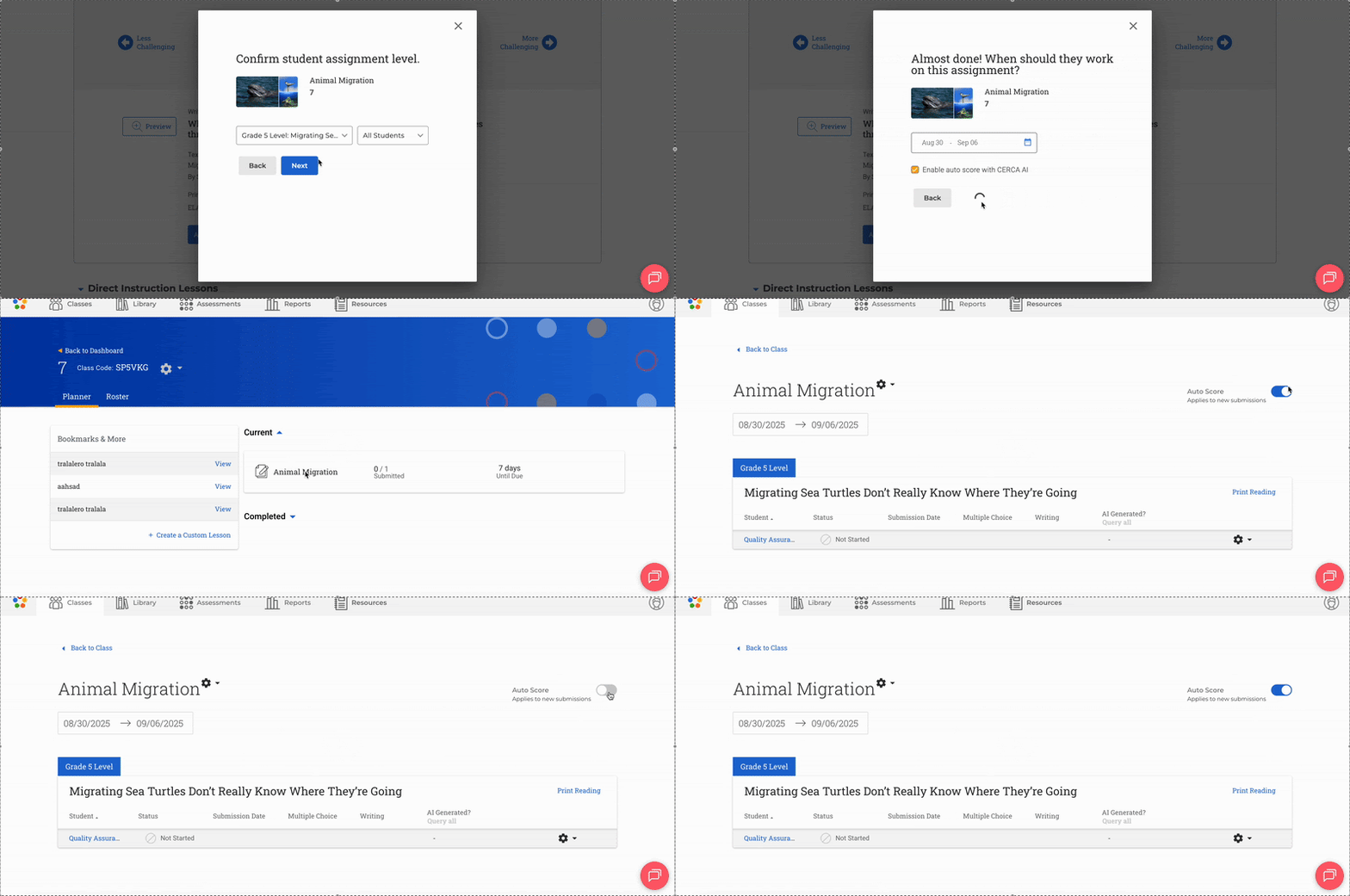
Turning Auto Score On/off
Choose when automated scoring is enabled to match your instructional needs.
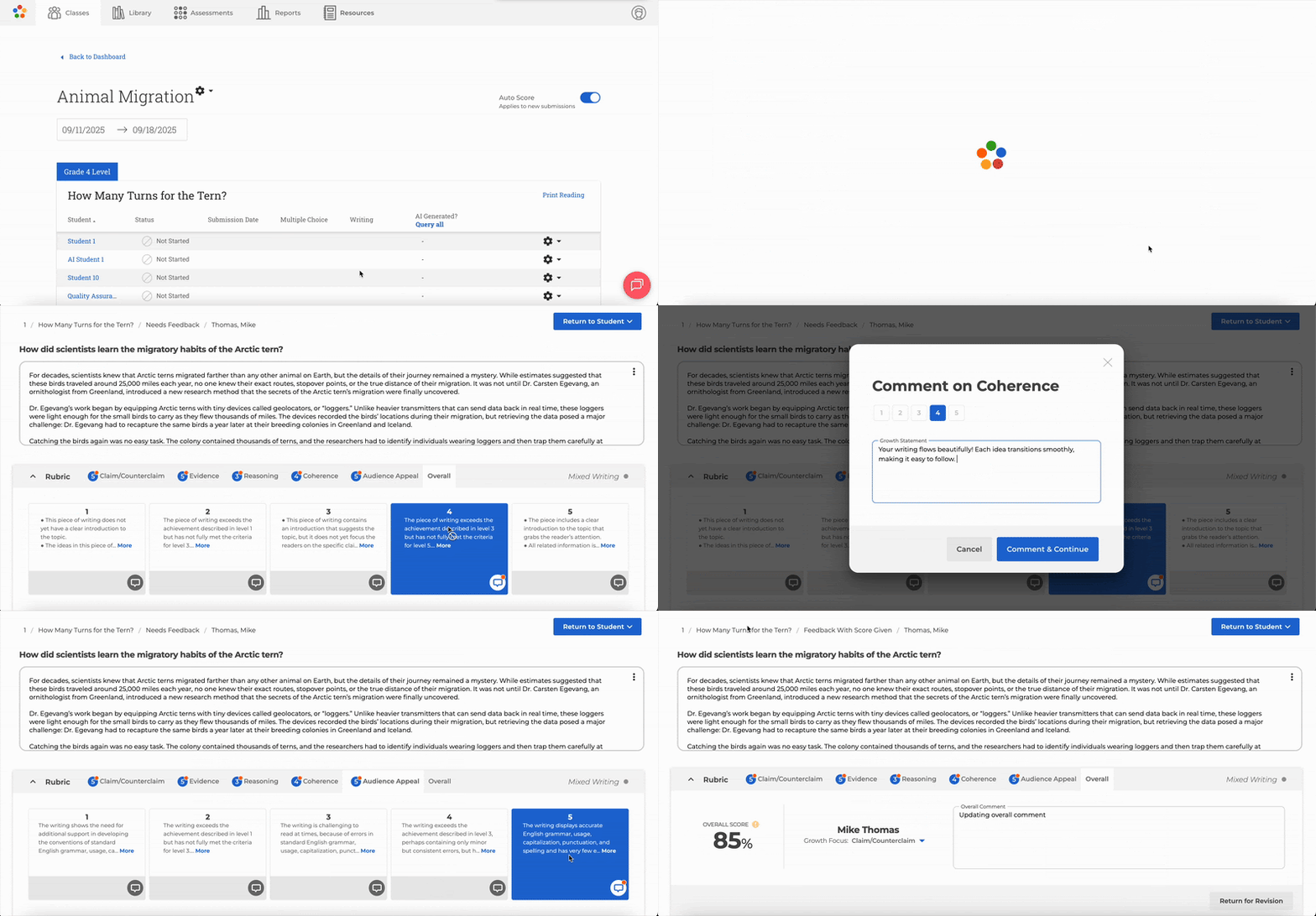
Editing ThinkCERCA Scoring
Review and adjust auto-generated scores to ensure they align with your grading expectations.
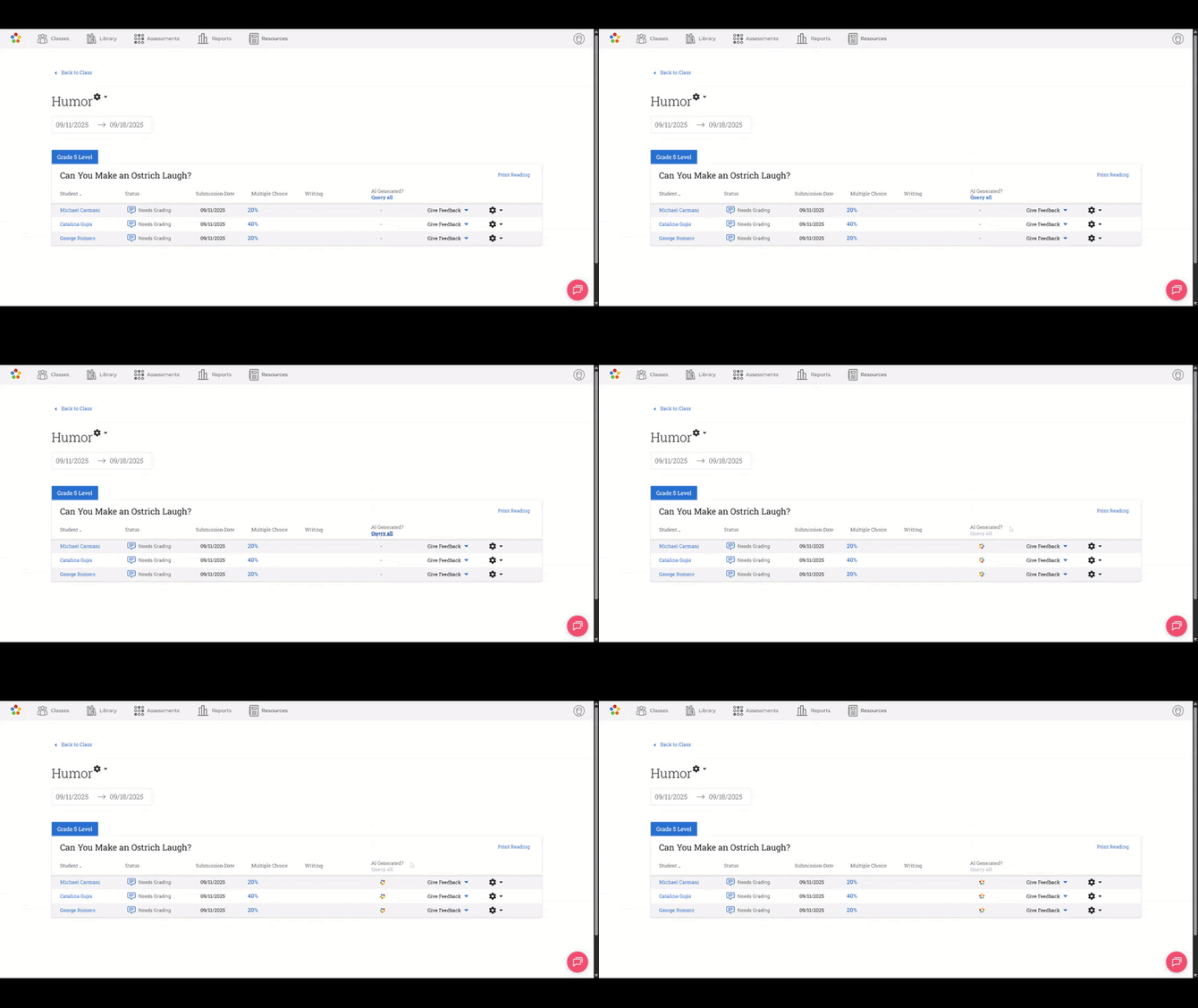
Plagiarism Detection
Identify potential copied or AI-generated text to support academic integrity.
Nurturing and Actionable Feedback
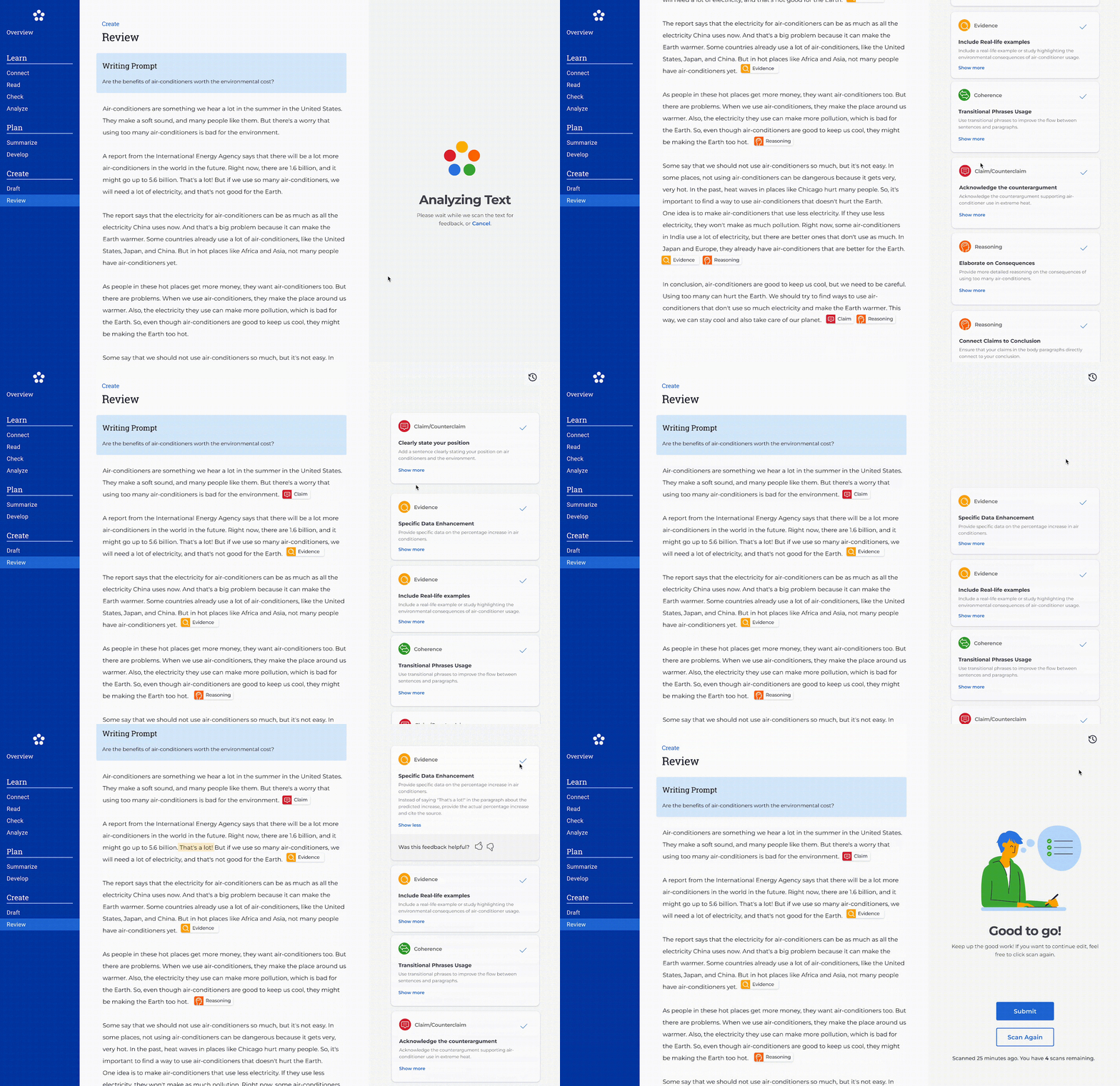
Give students instant, constructive feedback as they write. Feedback cards highlight specific strengths and areas to improve, tied directly to the writing skills students are practicing, turning revision into a guided next step.
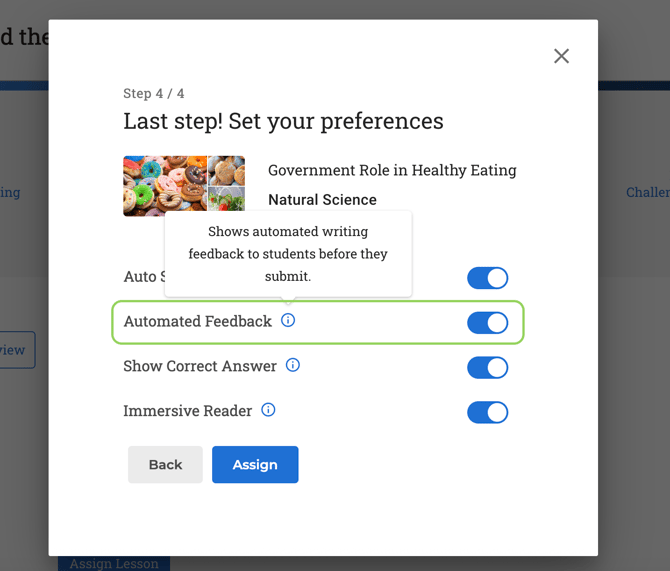
Turning Off Feedback in Review
Choose whether feedback cards appear during the review step to match your instructional needs. Feedback is on by default, and teachers can turn them off with toggle in the assignment flow. When turned off, students won't see feedback cards in their writing experience.